
Feature Explorer
File management
Access all of your files and documentation on one page. View exports, imports, labels, and any other relevant attachments - never lose track of what you need.
Feature Group:
Labels
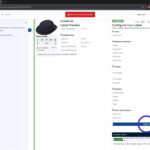
Customise and print individual asset or wrap box labels. Automatically generated in one click, on on screen - streamline wrap across your entire production.
Feature Group:
Wrap planning
Propose, approve, register - set tailored permissions for your team.
Feature Group:
Activity logs & timelines
Access a timeline of all the actions, edits, uses, and movements of an asset. Unlock assets' full lifecycle and enhance your tracking and decision-making.
Feature Group:
Split assets
Split multiples of the same asset into individual records in one easy click. Avoid duplicates, streamline your inventory.
Feature Group:
Bulk edits
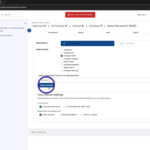
Move and remove assets from folders, add and remove tags, assign categories, and plan storage for groups of assets. Avoid the need to work with each asset one-by-one and rapidly streamline your workflow.
Feature Group:
Bulk actions
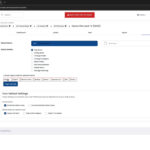
Multi-select assets and perform actions all in one click. Cut down admin time, implement quick edits and changes, enhance efficiency.
Feature Group:
Bulk import assets from a spreadsheet
Already have an asset list or spreadsheet? Easily import your database directly into AssetFlow, creating one, dynamic source-of-the-truth and enhancing traceability.
Feature Group:
Bulk create assets with images
Upload assets en masse from a bank of images, boosting capacity, avoiding duplicates, and reducing time.
Feature Group:
Add a single asset
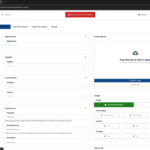
Create each asset individually, populating all of the relevant information and data as you go.
Feature Group:
Asset reference
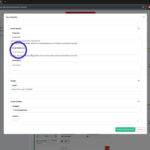
Align your AssetFlow inventory with your existing databases - input your own bespoke reference codes, refer back to P-Cards, invoice numbers, or unique identification numbers. Streamline reconciliation and data-matching.
Feature Group:
Quantity
Identify if you have multiples of the same asset, avoiding the need to duplicate uploads. You can even split assets of multiple quantities into individual records, giving you a dynamic way to track exactly how your assets have been used.
Feature Group:
Cost
Log how much each asset costs in any currency with relevant tax and exchange rates. Monitor your purchasing, boost Accounts reconciliation, maximise cost recovery.
Feature Group:
Condition
Log the condition and quality of your assets, supporting with reconciliation, reuse, resale, and storage.
Feature Group:
Waste stream/materials
Highlight the primary materials of your assets, making it easier than ever to manage reuse and recycling.
Feature Group:
Dimensions
Track your assets' height, width, depth, and weight. Boost efficiency when it comes to decision-making for shipping, storage, deliveries, and collections.
Feature Group:
Colours
Highlight asset colours from a pre-set or bespoke list. Easily find what you need and identify key asset attributes from one page.
Feature Group:
URLs
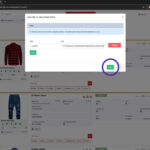
Attach web links to your assets to direct users to key information, landing pages, and documents. Streamline your workflow and control your asset management under one roof.
Feature Group:
Files
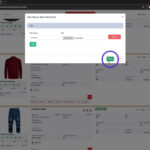
Attach documents, spreadsheets, policies, warranties, designs, and notes to your assets. Gain quick access to important information at the click of a button and maximise your asset usage.
Feature Group:
Usage
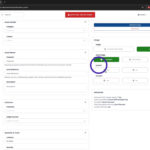
Quickly filter your inventory by the information most relevant to you, identify key assets, and make reuse more feasible than ever.
Feature Group:
Images
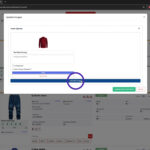
Add, feature, and edit images at any stage. Personalise your inventory and gain quick insight into your assets, all under one roof.
Feature Group:
Supplier
Enable Accounts departments and support reconciliation processes by assigning suppliers to your assets.
Feature Group:
Asset passports
Access all of the information you need about an asset from one page.
Feature Group:
Dashboard
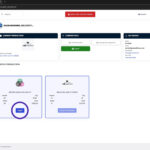
Check key information easily, switch between productions and inventories in one simple click.
Feature Group:
Sorting
Sort by alphabet, status, location, quantity (high to low), created date and modified date.
Feature Group:
Filter
Gain easy access, streamline your work, and dynamically change your views.
Feature Group:
Ella’s cheatsheet

This is on a summary page
Feature Group:
Test

Short description of my feature
Feature Group:
Search

A search bar that allows you to directly find your assets based on names and ID numbers.
Feature Group:
Dashboards
Custom dashboards to easily manage your workflow.
Feature Group:
Exporting
Easily export your data to spreadsheet or PDF with support for images and image galleries.
Feature Group:
Importing
Import data in bulk using the import wizard, including on-the-fly relationship lookup.
Feature Group:
Categories
Choose from pre-defined categories for your assets, whether that's props, specific kinds of clothing, furniture, electronics and more.
Feature Group:
QR Codes
Automatic generation of QR codes for your assets including URL and Unique ID's.
Feature Group:
Tags
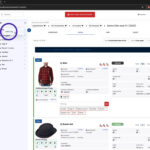
Quickly 'Tag' Assets on the fly creating dynamic lists in a single click.
Feature Group:
Folders
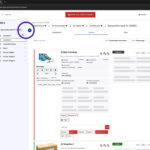
Organise Assets in Folders using a structure that suits you.